Cart drawer
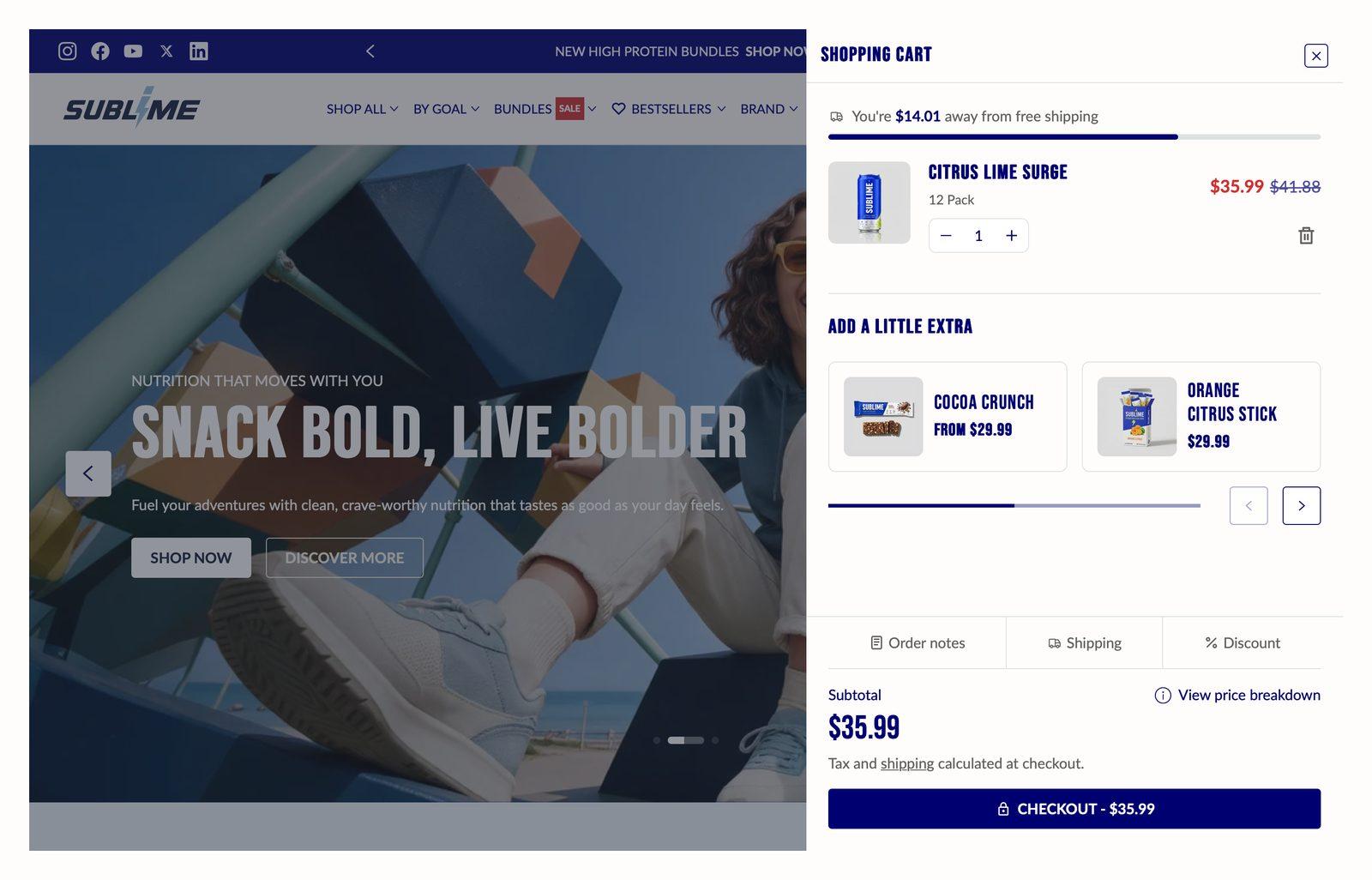
The cart panel that slides in when a shopper adds something, so they never leave the page they were on. Whether the drawer is used at all is set in Theme settings → Cart.
Good for
- Keeping shoppers on the page after they add something to the cart
- Suggesting add-ons at the moment of purchase
Set up complementary products
- In your Shopify admin, install Shopify's free Search & Discovery app.
- In the app, open Product recommendations, choose a product, and add the products that go with it under Complementary products. Save.
- In the theme editor, open Cart drawer and turn on Enable cart recommendations.
- Optionally, choose backup Products for carts where Shopify has no complementary products.
Section settings
| Show view cart button |
Adds a View cart button to the cart drawer that goes to the full cart page.On by default. |
Cart recommendations
Dynamic recommendations are based on the items in your cart. They change and improve with time.
| Enable cart recommendations |
Shows suggested products under the items in the drawer. They come from Shopify's complementary products for the first item in the cart. If Shopify has none, your Products list is shown instead.On by default. |
| Heading |
The heading above the suggestions, for example Frequently bought together.Only appears when Enable cart recommendations is on. |
| Products |
Backup products you choose yourself. They're shown when Shopify has no complementary products for the cart. Leave this empty to show only Shopify's suggestions. |
Blocks
Blocks are the individual pieces inside the section. In the sidebar, click Add block under the section to add one, and drag blocks to reorder them. The order in the sidebar is the order on the page.
Custom Liquid block
| Liquid |
Add app snippets or other Liquid code to create advanced customizations. |
Tips
- Set up complementary products for your best sellers first. The drawer bases its suggestions on the first item in the cart, and that's usually a best seller.
- Pick low-cost add-ons as backups. Care kits, socks and gift cards are easy to add without a second thought.
Troubleshooting
| Problem |
Fix |
| Adding to the cart opens the cart page instead of the drawer |
Go to Theme settings → Cart and set Cart type to Drawer. Everything on this page only applies when the drawer is in use. |
| Recommendations aren't showing |
The cart needs at least one item, and there must be something to suggest. That means either complementary products set up in the Search & Discovery app for the first item in the cart, or a Products list here. If neither gives any products, the row is hidden. |
| The drawer shows different products from the ones I picked |
Shopify's complementary products always take priority. Your Products list only appears when Shopify has no complementary products for the first item in the cart. |

