Search drawer
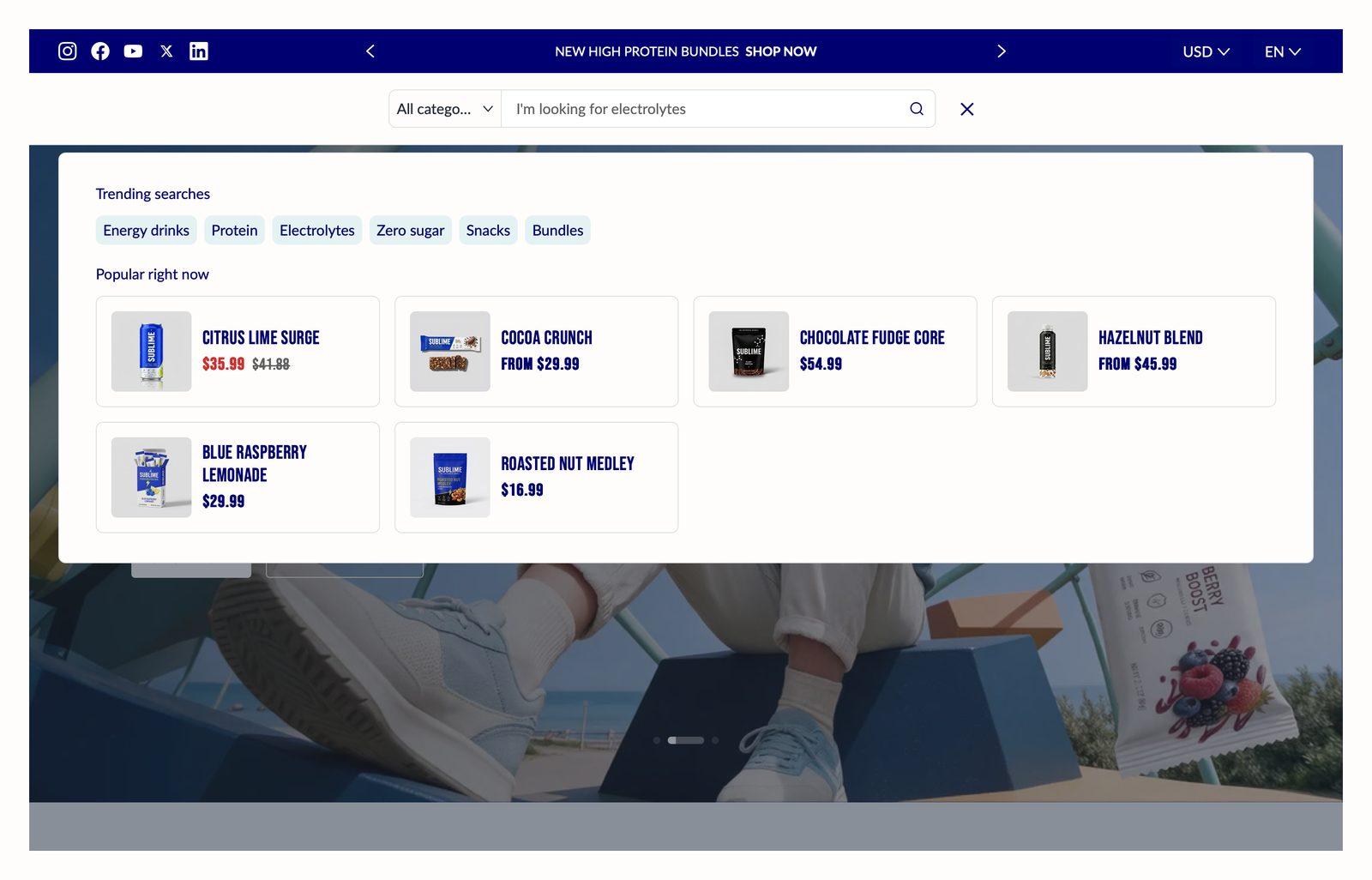
The search panel that opens from the header. It shows popular products and tags before the shopper types, and predictive results as they do.
Good for
- Showing best sellers before a shopper types anything
- Suggesting popular searches that lead to your key collections
Section settings
Popular products
| Heading |
The heading above the popular products shown before the shopper starts typing. It's hidden when no Collection is chosen. |
| Collection |
The collection this section pulls products from.Up to 8 products can be showcased. |
Search tags
| Heading |
The section title. Leave it empty to hide the heading row entirely and let the content start at the top. |
| Tags |
Recommend popular searched keywords in your store to customers. For example: t-shirt, dress, black. |
| Show tags on no results |
When a search finds nothing, shows your Tags again under the no-results message so the shopper has somewhere to go next.On by default. |
Predictive search
| Enable predictive search |
Shows results while shoppers type, before they press Enter. Results open right under the search field: a View results for link to the full results page, up to 4 suggested searches, matching products, and tabs for matching collections, blog posts and pages, with up to 6 of each. Shoppers can move through them with the arrow keys and press Enter to open one.When it's off, no results appear while typing. Shoppers press Enter to go to the full search results page.Shopify offers predictive search in some languages only. In a store language it doesn't support, search works as if this setting were off.On by default. |
Appearance
| Color scheme |
Sets the background, text, border and button colors for the section. Schemes are defined once in Theme settings → Colors and reused everywhere, so changing a scheme updates every section using it. |
| Card color scheme |
Color scheme for cards inside the section, so they can sit apart from the section background. |
Spacing
Top and bottom spacing for desktop, with optional separate values for mobile. These are the same controls on every section. See Settings every section shares.
Tips
- Use tags that match how shoppers talk. Clicking a tag runs a search for that word, so use words that return plenty of results, like linen or gifts under $50.
- Point Popular products at a best-seller collection. An automated collection sorted by best selling keeps it fresh without any upkeep.
Troubleshooting
| Problem |
Fix |
| Popular products are empty on my live store |
Choose a Collection that has products in it. The sample cards you see in the theme editor are only placeholders and never appear on the live store. |
| Results don't appear as I type |
Check that Enable predictive search is on. Shopify's predictive search isn't available in every language, so in some languages results won't appear as the shopper types. |

